Student Orientation
Welcome to Your Blogging University™! Before you get started, I’d like to take you through the site so you know exactly what you can expect from your custom university.
But first, let me introduce you to Your Blogging University™ first. If you’ve made it through initial enrollment, chances are you’re already familiar with YBU and what it’s all about. However, just in case you still aren’t sure what YBU is and why I created it, let me explain.
What is YBU
YBU is a one-of-a-kind customizable learning system designed to give you control over your blogging education. My team and I have worked tirelessly over months to bring to you this state-of-the-art platform (not to mention the YEARS of experience that went into creating the course content!) in order to allow you to access the most up-to-date blogging strategies and how-to’s in a way that fits your goals and your budget.
For years, I’ve been wanting to bring my 12+ years of blogging experience to the eyes and ears of aspiring bloggers, newbies, and experienced bloggers alike. When I first started blogging, there was no social media, there were no blogging mentors or tutors, and there certainly weren’t any comprehensive courses teaching me how to make money blogging. I had to do it on my own (with the help of a few patient and faithful friends, of course!).
Now, over 12 years later, I want to be your blogging mentor — to bridge that gap so you don’t have to do it alone.
YBU was designed in such a way so as to allow you to construct your own “university” — meaning you get to choose which topics you want to learn about. This means you ONLY pay for the sections you need and want!
So welcome aboard to the first ever customizable blogging university! It is a privilege and an honor to be your mentor.
~ Crystal Paine

How to Navigate YBU™
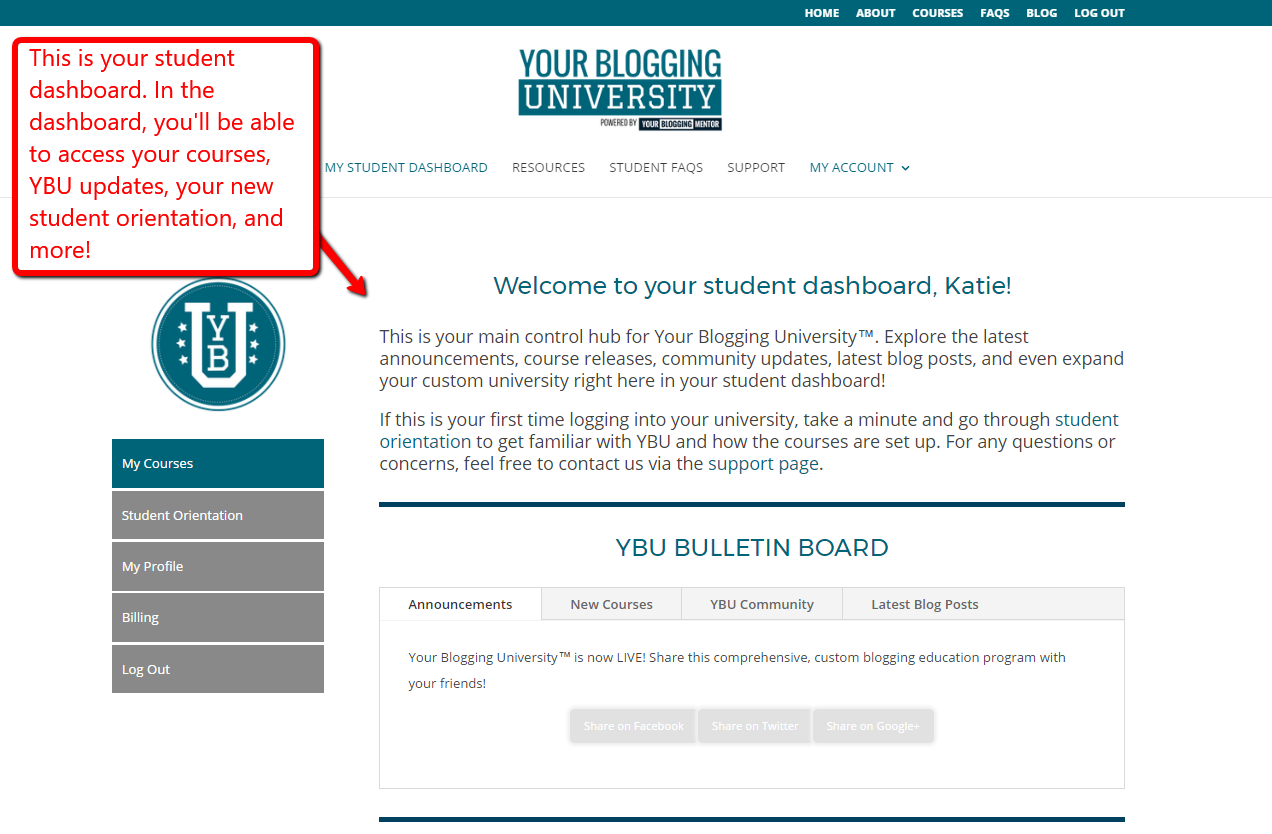
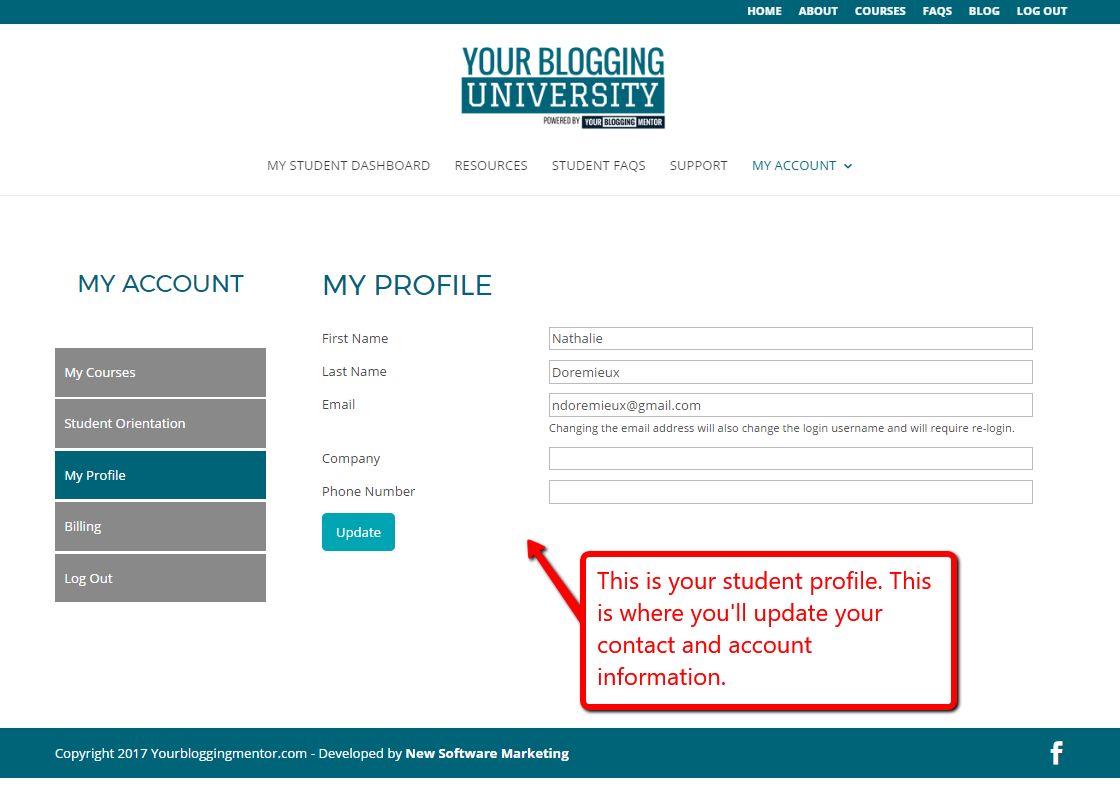
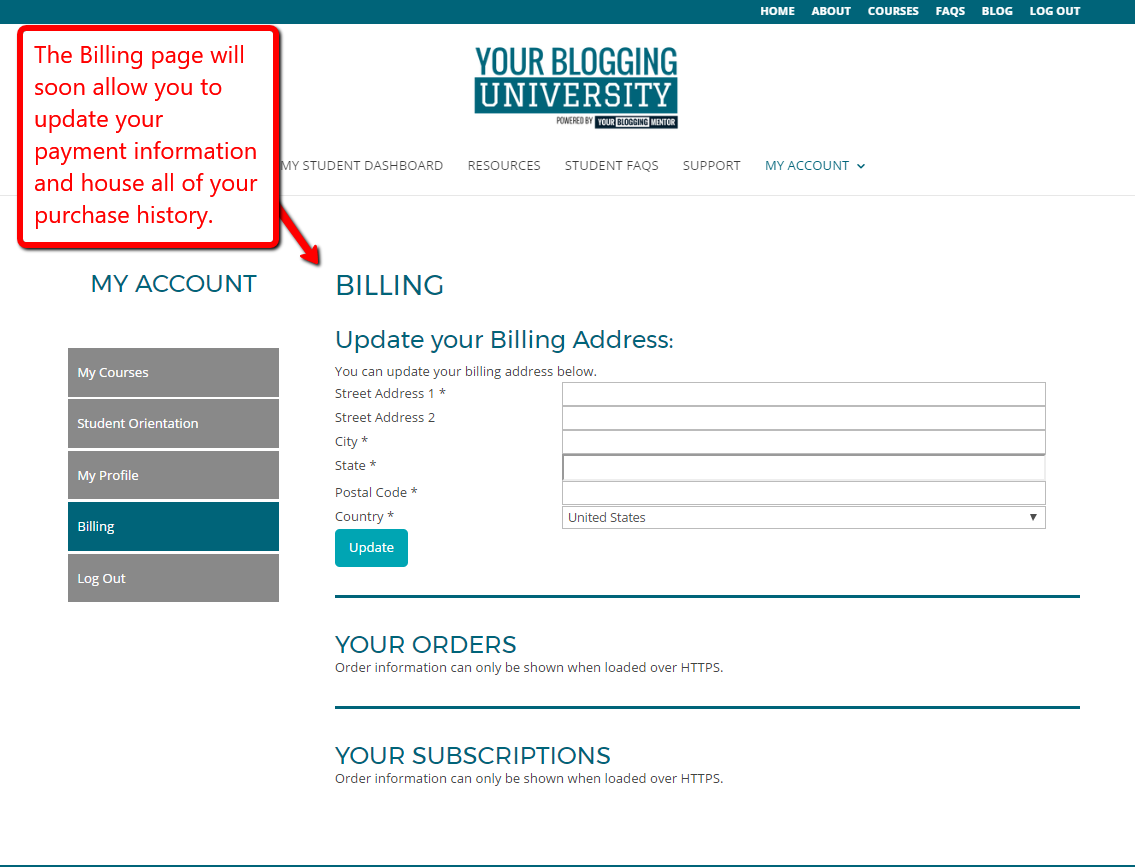
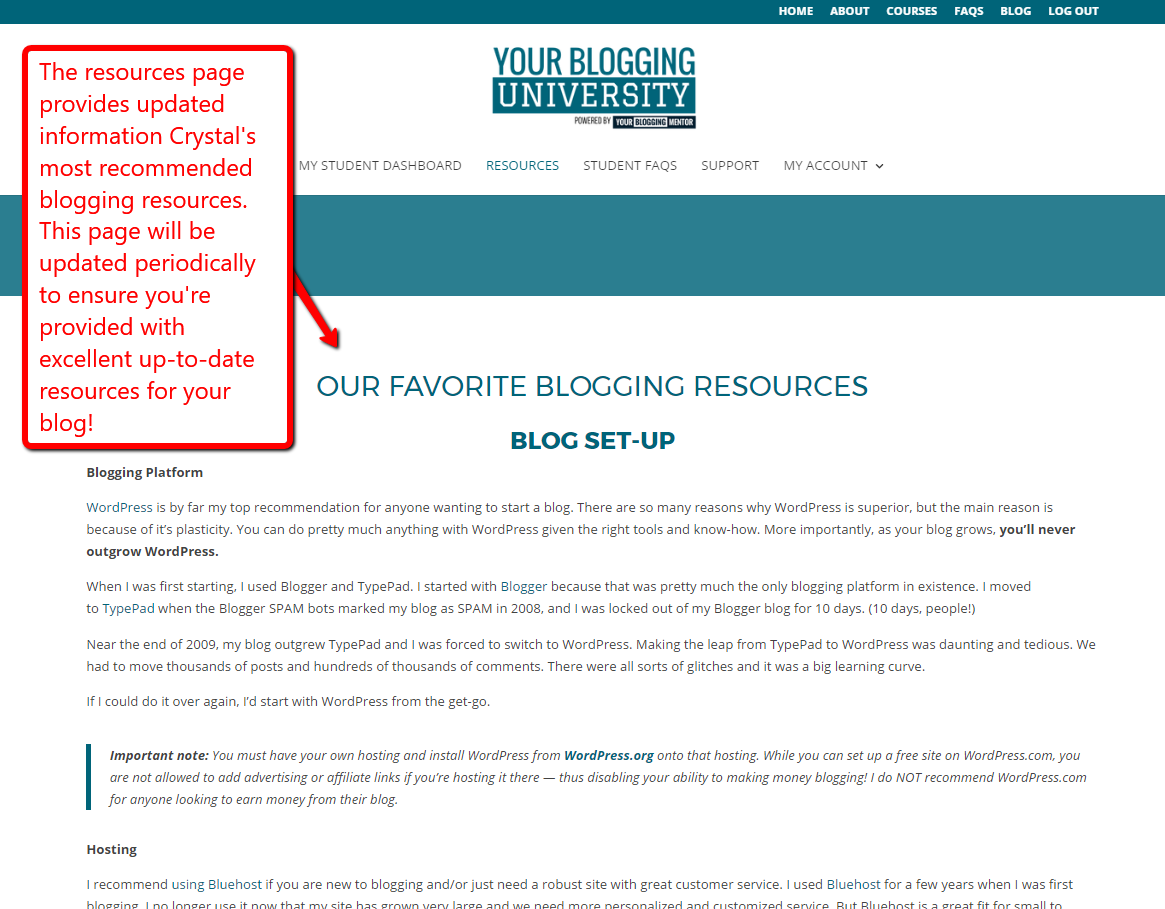
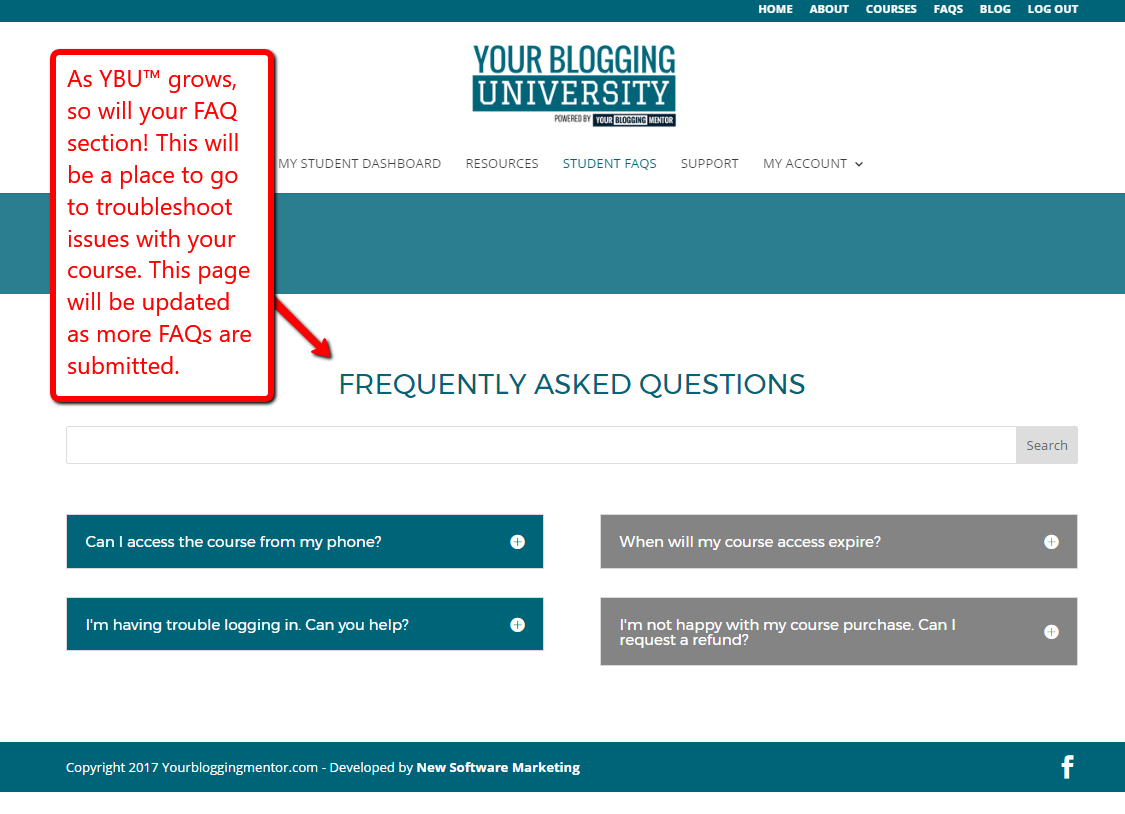
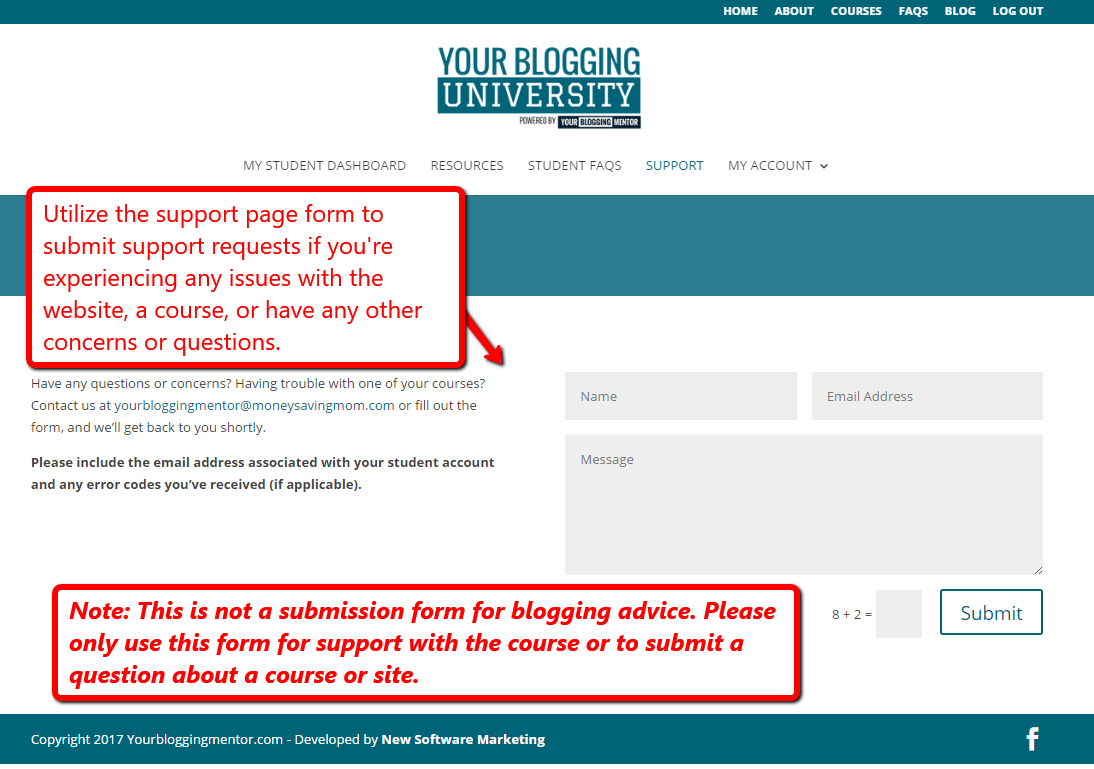
We created YBU™ to be an easy-to-use learning platform so the only thing you have to worry about is making your blog great! Here is a detailed pictorial to help you learn how to navigate your student dashboard and your courses. If you find yourself getting lost or turned around, head up to the support page and fill out the form. We’ll be glad to help you out!
Student Dashboard
Your student dashboard is your central hub for YBU™. This is where you’ll access your account, profile, YBU™ updates, and courses.
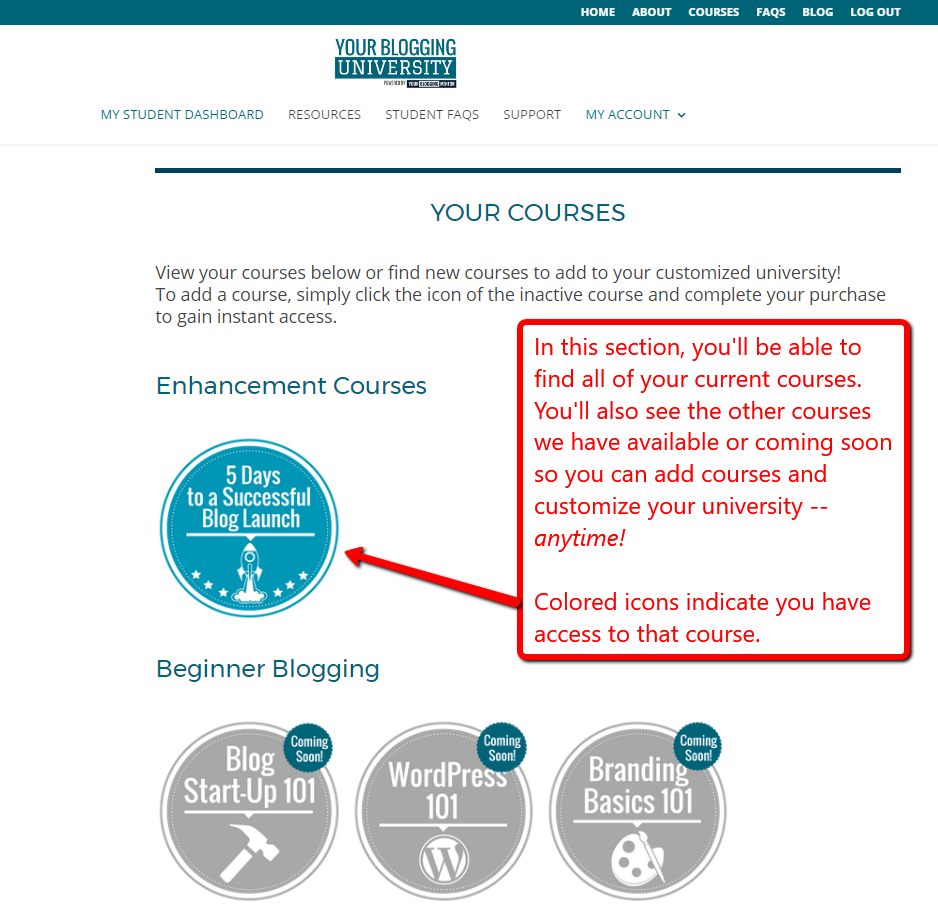
To access your courses, click on the activated icons.
My Profile Page
Billing
Resources Page
Student FAQs
Support Page
Inside a Course
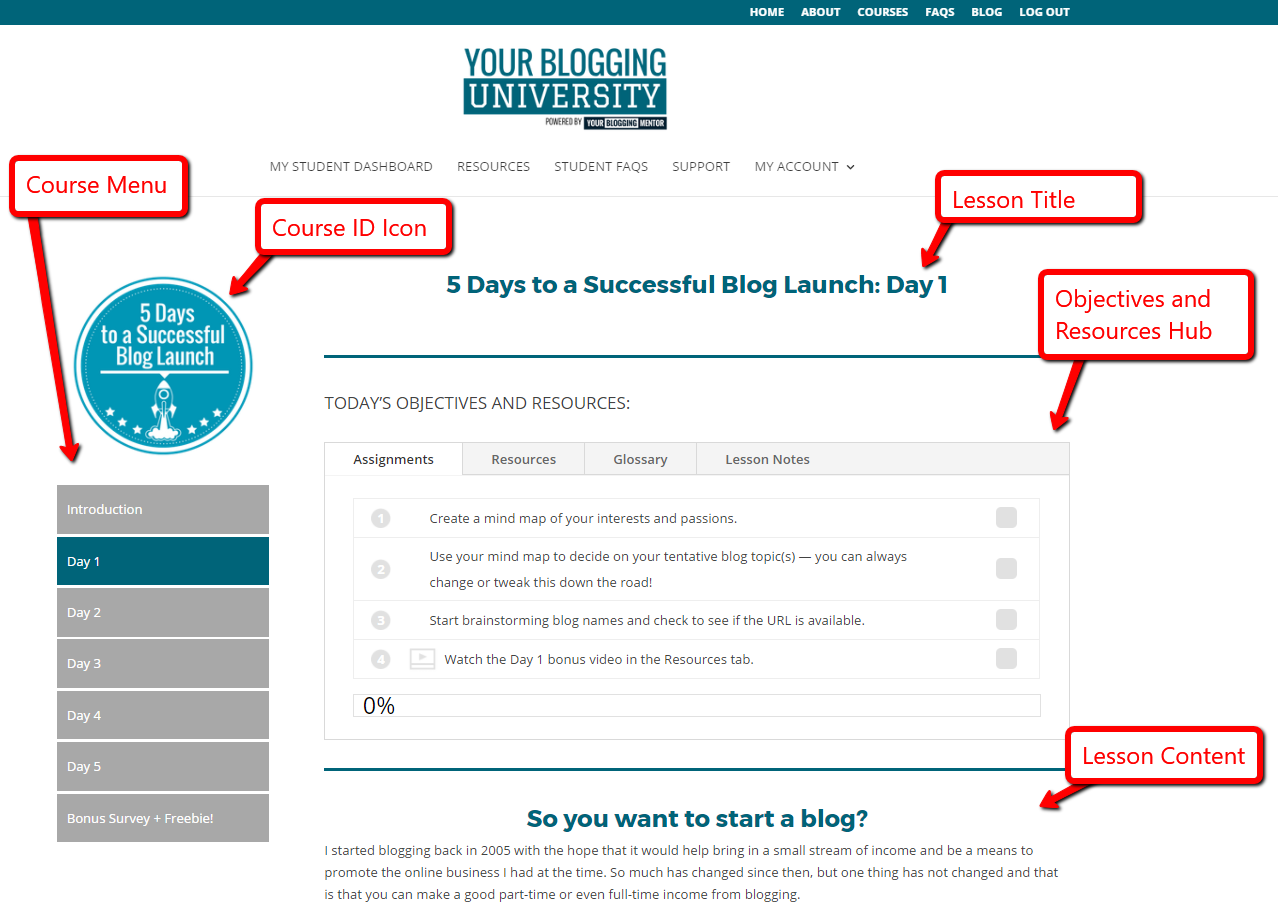
Anatomy of a Course Lesson
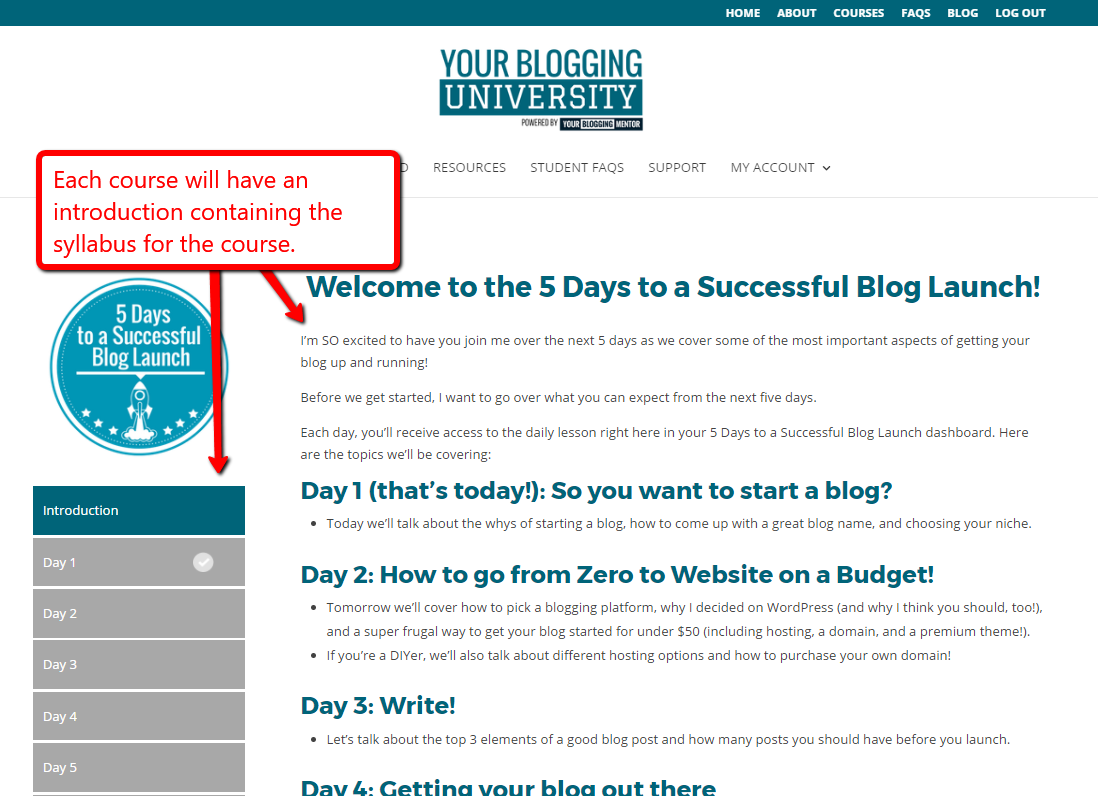
Introduction
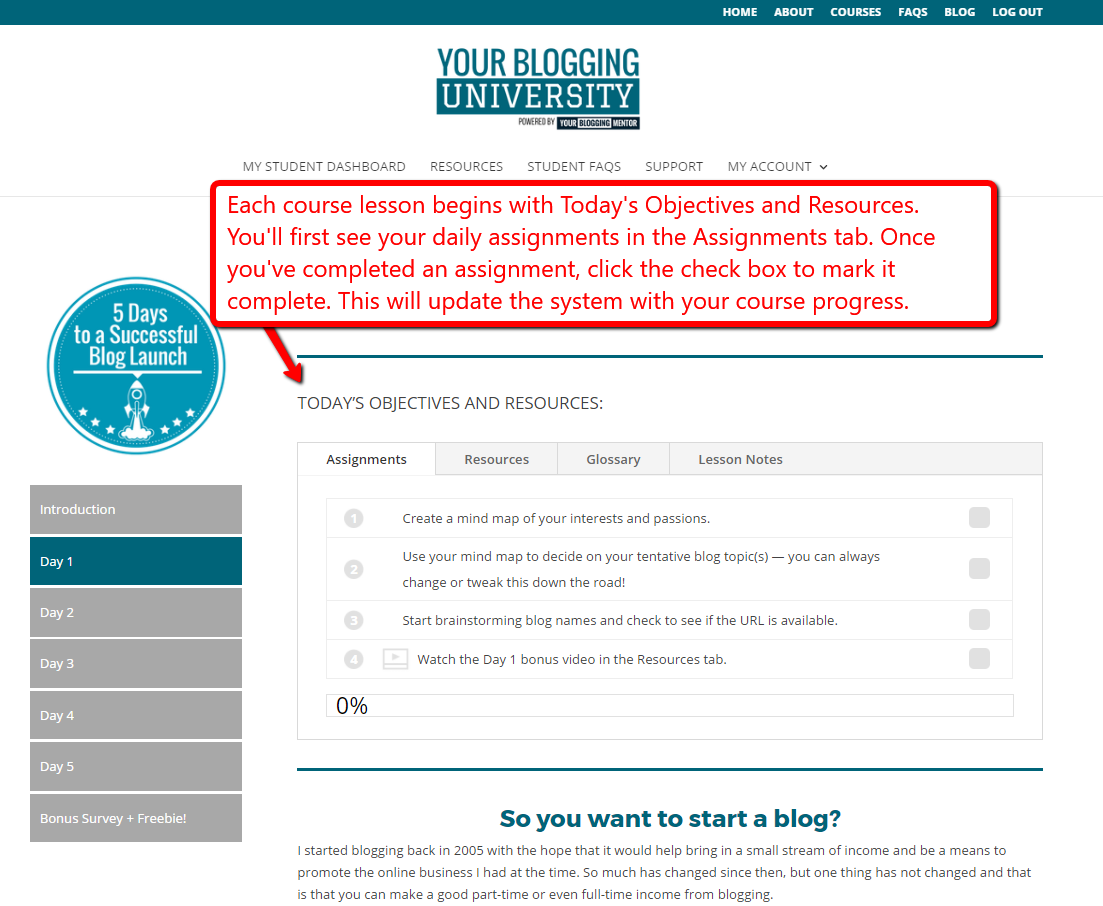
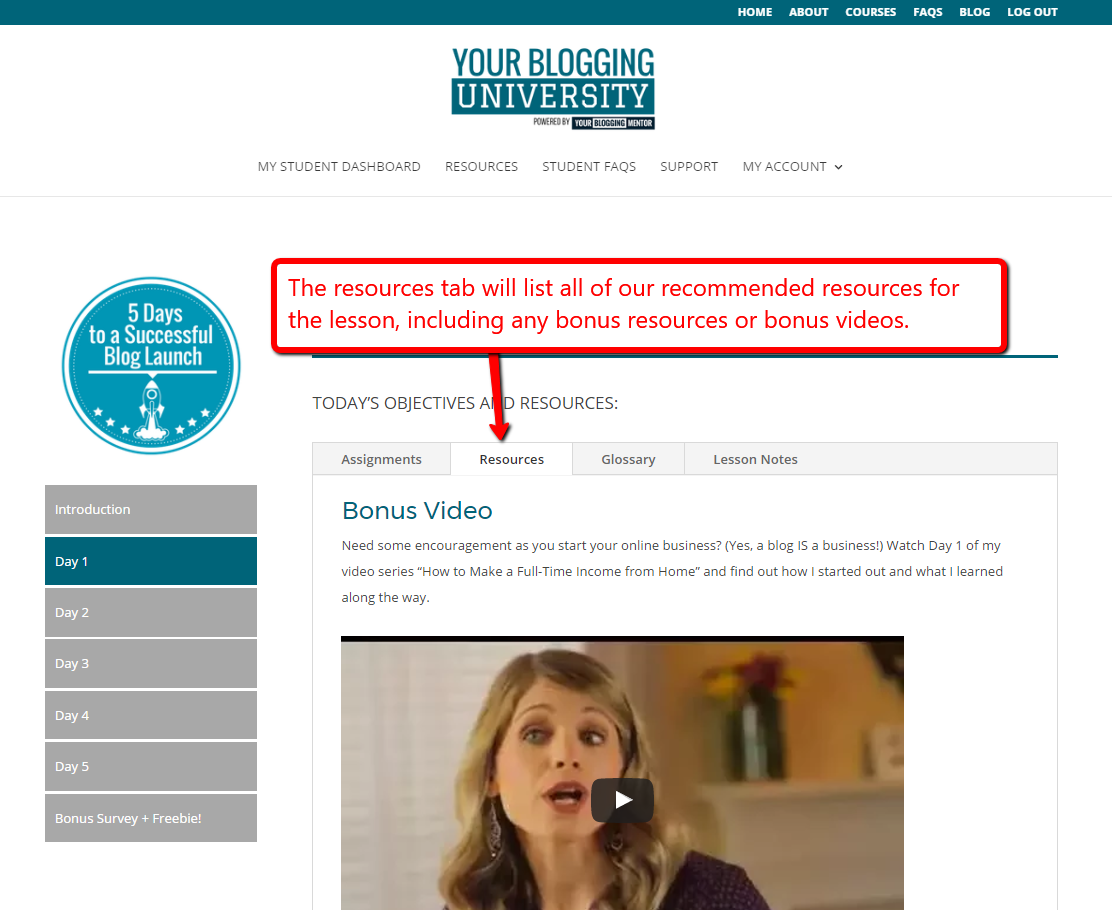
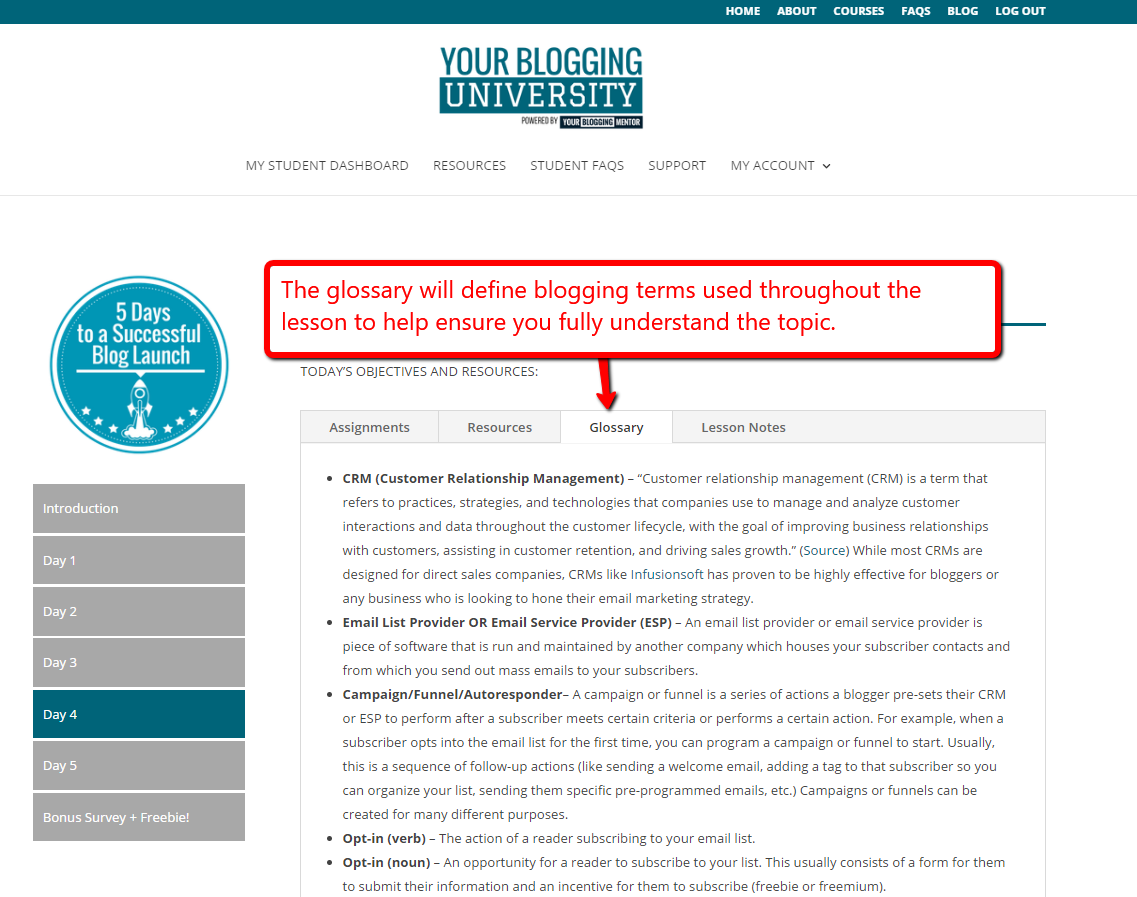
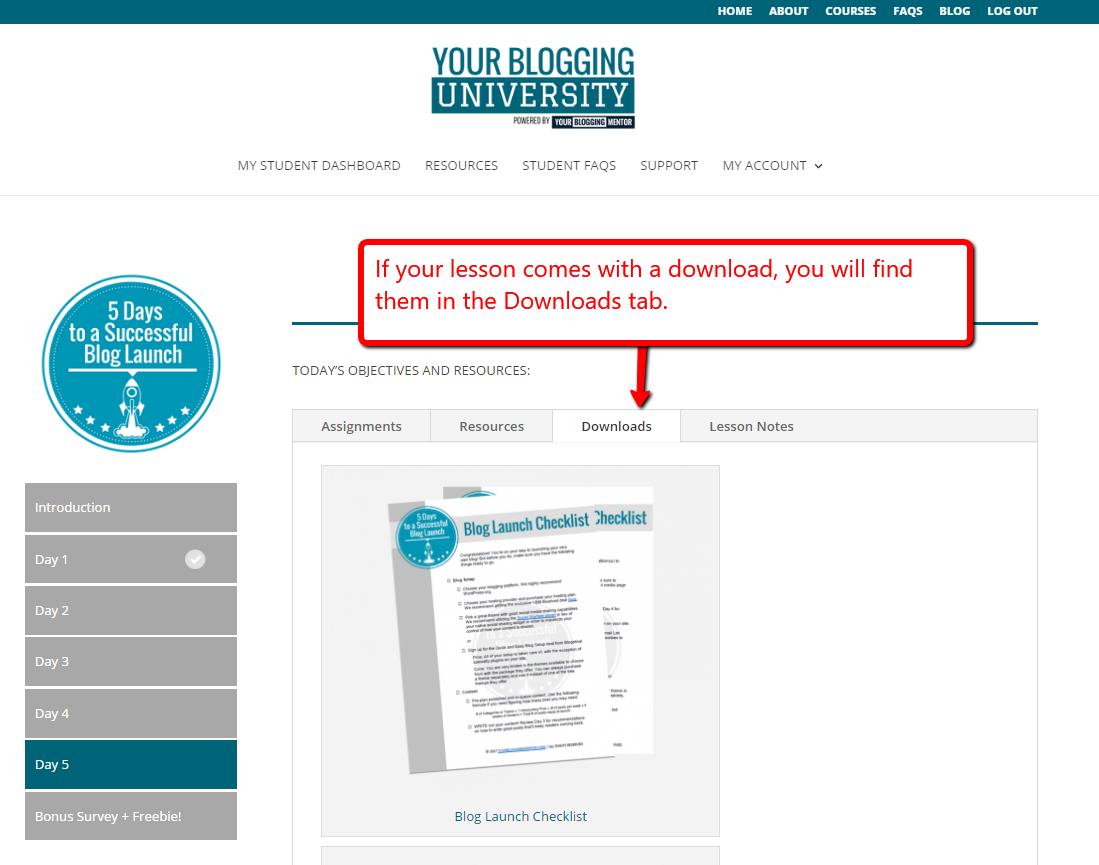
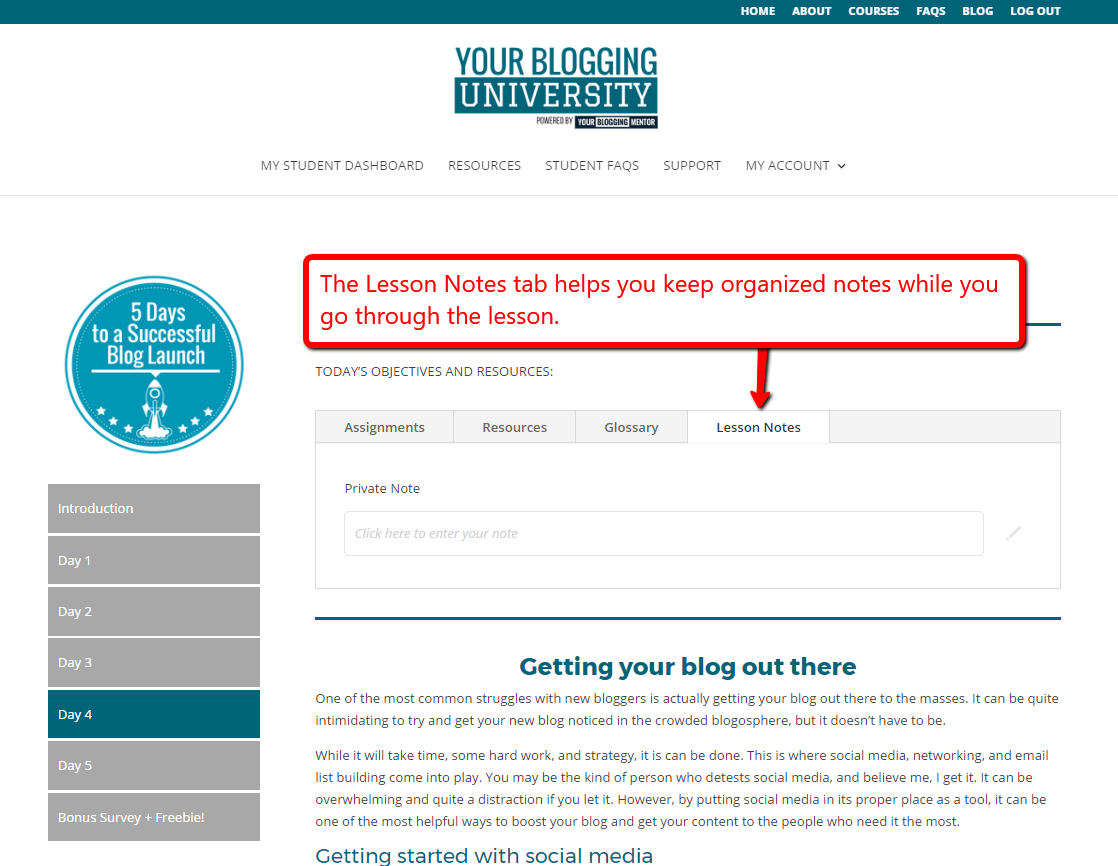
Objectives and Resources
Note: The Objectives and Resources Tabs are only available on desktops, laptops, and tablets. You will not be able to utilize this function on your smartphone.
Assignments Tab
Resources Tab
Glossary Tab
Downloads Tab
Lesson Notes Tab
That’s it for your student orientation! By now, you should be ready to navigate YBU™ with ease. Now it’s time to start your course! If you have any questions or need help with anything, please let us know via the support page.
We’re cheering for you all the way!!